TesSa for Android and iOS
Your documents, ready when you need them.
TesSa is the mobile app for keeping your Italian health card, CIE and driving licence together on your device. Available for Android and iOS.


No account is needed to organise your wallet.

Your wallet
One wallet. The documents you actually use.
Bring together your Italian health card, CIE and driving licence, then find them by person or type.
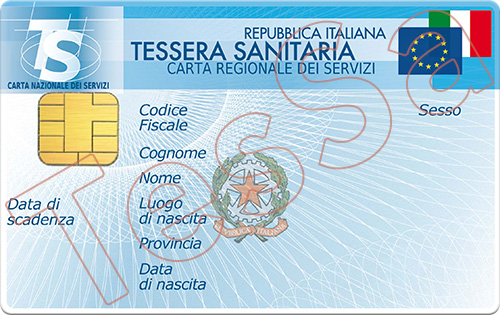
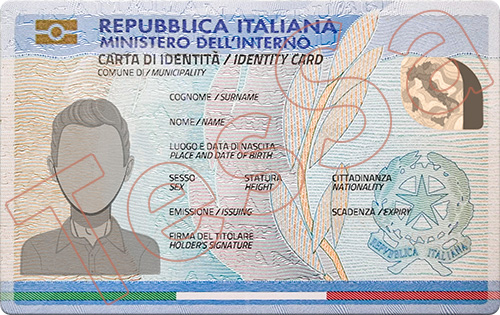
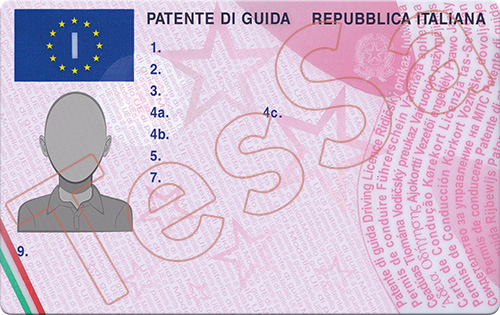


Ready to use
What you need, in seconds.
Open document details and supported barcodes without searching through photos and notes.
Several people, one device
Your documents. And your family's.
Organise documents for several people on the same device and find the right one quickly.


A deliberate action
Share when you choose.
Start a card transfer from TesSa using a QR code or link.
Sharing always starts with an action you take in the app.
Local by design
Your document records stay on your device.
TesSa stores document records locally and does not use a proprietary cloud service to hold your wallet. You can protect access with a PIN or biometrics.


Continuity on your terms
Take your wallet with you.
Create an encrypted backup, export it wherever you choose and restore it when needed. Backup and restore are available free to everyone.
Restoring replaces the current wallet only after you confirm it.
The real product
TesSa in everyday use.
Find, view, share and manage documents through a clear, familiar interface.

Frequently asked questions
Before you bring everything together.
Clear answers to common questions about TesSa.
Which documents can I add to TesSa?
TesSa supports the Italian health card, Electronic Identity Card (CIE) and driving licence.
Can I organise documents for more than one person?
Yes. You can keep documents for several people on the same device, for example members of your family. TesSa does not require you to create an account.
Where does TesSa store my document data?
Your wallet data is stored locally on your device. TesSa does not store it on its own cloud service.
How do I share a document using a QR code or link?
Open the document in TesSa and choose to share it using a QR code or link. Sharing always starts with an action you take in the app.
What should I know about shared links?
The link contains the data from the shared document and is not encrypted or password-protected. Anyone who receives the link can view the shared information, so send it only to the intended person and treat it like a personal document.
How do backup and restore work?
TesSa lets you create an encrypted backup file of your wallet free of charge. You can then export it manually to keep a copy wherever you prefer and use it to restore your wallet when needed. Restoring replaces your current data only after you confirm.
Where can I find the backup I created?
When you create a backup, the file remains in TesSa's internal app storage and does not automatically appear among the files on your device. To keep a copy outside the app, use the export function and choose where to save or share it.
How can I protect access to my documents?
You can protect access to TesSa with a PIN and, on compatible devices, also use biometric authentication.
Is TesSa an official Public Administration app?
No. TesSa is an independent app and is not an official Public Administration app. It helps you organise and view your document data, but it does not replace the original documents.
Which devices can I use TesSa on?
TesSa is available for Android and iOS.
Ready for Android and iOS
Bring your documents together.
Download TesSa for Android or iOS.